Building a Self-Hosted CV Site with Hugo
How I built cv.skui.io as a small Hugo project, deployed it with Gitea Actions and Docker, and embedded it into skui.io.
Contents
I wanted a CV that was not trapped inside a PDF.
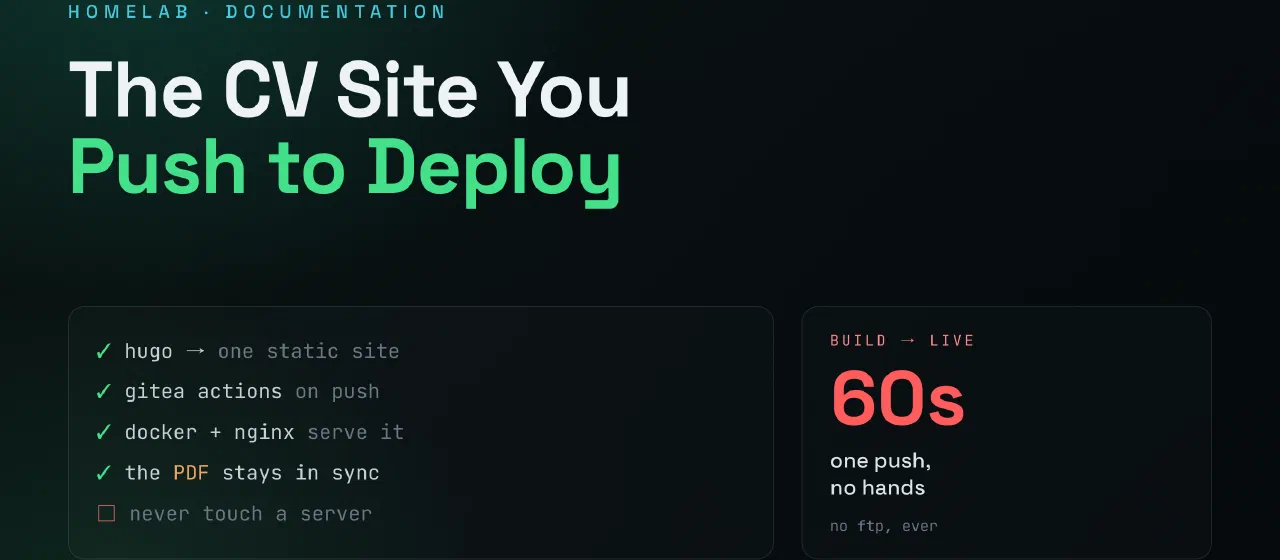
PDFs are useful, and I still keep downloadable versions, but I wanted the main CV to be a small web project: easy to update, easy to host, and clean enough that I could link it from anywhere. The result is cv.skui.io, a separate Hugo site that is built and deployed the same way as this blog.
It is a simple project, but that is the point. If the CV needs a wording change, a new section, or another language, I can edit a YAML file, push to git, and let automation handle the rest.
The Idea
The CV project has three jobs:
- Serve a readable web CV at
https://cv.skui.io - Keep downloadable PDF and text versions available
- Deploy automatically when I push to the repo
I also wanted to show it inside this blog at /cv/ without merging the two projects. That keeps the CV repo focused while still making it visible from the main site menu.
The setup ended up like this:
- CV repo:
git.skui.io/steffen/cv - Published image:
git.skui.io/steffen/cv:latest - Container name:
cv_site - Main site embed:
skui.io/cv/ - Reverse proxy target:
http://cv_site:80
Project Structure
The CV site is a normal Hugo project, but most of the content is data-driven.
CV/
├── assets/
│   ├── CV-2026.pdf
│   ├── CV-2026.txt
│   ├── IT-CV-2026.pdf
│   ├── IT-CV-2026.txt
│   ├── author.jpg
│   └── css/main.css
├── content/
│   ├── cv.md
│   ├── it-cv.md
│   └── no/
│       ├── cv.md
│       └── it-cv.md
├── data/
│   ├── cv.en.yaml
│   ├── cv.no.yaml
│   ├── it-cv.en.yaml
│   ├── it-cv.no.yaml
│   ├── ui.en.yaml
│   └── ui.no.yaml
├── layouts/
├── Dockerfile
├── compose.yml
└── .gitea/workflows/build.yml
The important part is data/. Instead of writing the whole CV as one long HTML page, the actual CV information lives in YAML files. The layouts read those files and render the page.
That makes the content easier to maintain:
cv.en.yaml- general CV in Englishcv.no.yaml- general CV in Norwegianit-cv.en.yaml- technical CV in Englishit-cv.no.yaml- technical CV in Norwegianui.en.yaml/ui.no.yaml- labels and interface text
If you want to copy this idea, start with the data files first. Decide what sections your CV needs, then make the layout render those sections consistently.
Creating the Hugo Project
The basic project starts like any other Hugo site:
hugo new site CV
cd CV
I kept this one self-contained instead of using a big theme. A CV page does not need much: a layout, a stylesheet, data files, and a couple of content pages.
The hugo.toml can stay simple:
baseURL = 'https://cv.example.com/'
languageCode = 'en-us'
title = 'Your Name - CV'
enableRobotsTXT = true
If you want multilingual pages, Hugo can handle that too. In my case, the CV has English and Norwegian content, so the layouts choose the right YAML data for the current language.
Keeping Secrets Out of Git
This is easy to get wrong when you start wiring deployment together.
The repo contains secret names, but not secret values. For example, the workflow references:
REGISTRY_TOKEN: ${{ secrets.REGISTRY_TOKEN }}
DEPLOY_SSH_KEY: ${{ secrets.DEPLOY_SSH_KEY }}
Those are safe to commit because they are only references. The actual token and private SSH key live in Gitea Actions secrets.
I also keep local notes like key.txt ignored by git:
key.txt
.env
.env.*
That local file can remind me which variables to set, but it must not become part of the repo.
Docker Build
The Dockerfile is the same pattern I use for this blog: build with Hugo, serve with Nginx.
FROM hugomods/hugo:0.161.1 AS builder

WORKDIR /src
COPY . .
RUN hugo --minify

FROM nginx:alpine

COPY --from=builder /src/public /usr/share/nginx/html
EXPOSE 80
This keeps the final image small. Hugo and the build tools only exist in the builder stage. The final container is just Nginx serving static files.
Gitea Actions Workflow
The workflow has two jobs:
- Build and push the Docker image
- SSH to the server and replace the running container
The workflow starts on pushes to main:
on:
  push:
    branches:
      - main
  workflow_dispatch:
The registry settings are defined near the top:
env:
  REGISTRY: git.skui.io
  IMAGE_NAME: git.skui.io/steffen/cv
  CONTAINER_NAME: cv_site
  DEPLOY_USER: gitea-nextcloud
  DEPLOY_PORT: 22
  NGINX_CONTAINER: nc-nginx-1
For your own project, change these:
IMAGE_NAMEto your registry pathCONTAINER_NAMEto the name your reverse proxy will useDEPLOY_USERto your server deploy userNGINX_CONTAINERto your reverse proxy container name
The registry login uses a Gitea token:
- name: Login to Gitea registry
  run: |
    REGISTRY_USER="${REGISTRY_USER:-${GITHUB_REPOSITORY_OWNER}}"
    if [ -z "$REGISTRY_USER" ]; then
      echo "REGISTRY_USER is empty and GITHUB_REPOSITORY_OWNER is unavailable" >&2
      exit 1
    fi
    if [ -z "$REGISTRY_TOKEN" ]; then
      echo "REGISTRY_TOKEN secret is empty or unavailable" >&2
      exit 1
    fi
    echo "${REGISTRY_TOKEN}" | docker login "${REGISTRY}" -u "${REGISTRY_USER}" --password-stdin
  env:
    REGISTRY_USER: ${{ vars.REGISTRY_USER }}
    REGISTRY_TOKEN: ${{ secrets.REGISTRY_TOKEN }}
The fallback to GITHUB_REPOSITORY_OWNER is useful. If the repo is steffen/cv, the username becomes steffen when the variable is missing.
Version Tags
I use date-based image tags:
2026.06.05.1
2026.06.05.2
2026.06.05.3
The workflow pulls :latest, inspects its tags, finds the highest counter for today, and increments it. The image is then pushed with both the versioned tag and latest.
docker build --pull -t "${IMAGE_NAME}:${{ steps.version.outputs.version }}" .
docker tag "${IMAGE_NAME}:${{ steps.version.outputs.version }}" "${IMAGE_NAME}:latest"

docker push "${IMAGE_NAME}:${{ steps.version.outputs.version }}"
docker push "${IMAGE_NAME}:latest"
This gives me a simple rollback path without having to remember Git commit hashes or build numbers.
Deploying Behind the Reverse Proxy
The deployment does not bind a public port. The container joins the same Docker network as the existing reverse proxy.
NETWORK="$(docker inspect nc-nginx-1 --format '{{range $k,$v := .NetworkSettings.Networks}}{{println $k}}{{end}}' | head -n1)"

docker rm -f cv_site || true
docker pull git.skui.io/steffen/cv:latest
docker run -d --name cv_site \
  --restart unless-stopped \
  --network "$NETWORK" \
  git.skui.io/steffen/cv:latest
The reverse proxy then routes the hostname to:
http://cv_site:80
That is the detail that matters. The container name becomes the internal DNS name on the Docker network.
Required Gitea Settings
For this to work, the repo needs two secrets:
REGISTRY_TOKEN
DEPLOY_SSH_KEY
And these variables:
REGISTRY_USER
DEPLOY_HOST
The names matter. In the Gitea UI, the name is DEPLOY_HOST, not vars.DEPLOY_HOST. The vars. part is only used inside the workflow YAML.
The token must be able to publish packages/images to the registry. The SSH key must let the workflow log in to the server as the deploy user.
Compose Option
I also added a small compose.yml for manual deployment or local server testing:
services:
  cv_site:
    image: ${CV_IMAGE:-git.skui.io/steffen/cv:latest}
    container_name: cv_site
    restart: unless-stopped
    networks:
      - proxy

networks:
  proxy:
    external: true
    name: ${NC_NETWORK:-nc_nc-net}
If your proxy network has another name:
NC_NETWORK=your_proxy_network docker compose up -d
If your image has another path:
CV_IMAGE=registry.example.com/you/cv:latest docker compose up -d
Embedding It Into This Blog
The CV is a separate site, but I wanted it visible from the main menu on skui.io.
First I added a menu entry:
[[main]]
  name = "CV"
  pre = "user"
  pageRef = "/cv"
  weight = 40
Then I added a dedicated layout for the /cv/ page in this blog:
<iframe
  src="https://cv.skui.io"
  title="Steffen CV"
  loading="lazy"
  referrerpolicy="strict-origin-when-cross-origin"
  class="block w-full rounded-lg border-0 bg-white"
  style="min-height:82vh;"></iframe>
One small lesson from this: do not fight the theme article layout if you want a wide embedded page. I first tried to break the iframe out of the normal article column with inline CSS. It worked badly. The cleaner fix was to create a dedicated Hugo layout for the CV page and center the iframe there.
Things I Would Watch For
If you build your own version, these are the parts most likely to trip you up:
- Secrets vs variables: tokens and private keys are secrets; usernames and hostnames can be variables.
- Exact names:
REGISTRY_TOKENis the secret name. Do not entersecrets.REGISTRY_TOKENin the UI. - Docker network: the CV container must be on the same network as the reverse proxy.
- Container name: your reverse proxy target must match the container name.
- Iframe headers: if you want to embed the CV elsewhere, do not send
X-Frame-Options: DENYor a restrictiveframe-ancestorspolicy. - Hugo version: use a known Hugo image in Docker so builds are consistent.
Final Thoughts
This is not a complicated project, and I like that.
It gives me a CV that is easy to update, easy to deploy, and not tied to one PDF file. The PDF still exists for people who want it, but the web version is the source I care about now.
The bigger win is repeatability. Once the pattern exists, I can reuse it for other small static sites: write content, build with Hugo, package with Docker, deploy behind the reverse proxy, and keep the moving parts boring.