The Backups You Didn't Test
Everyone has backups. Almost nobody has restores. The green checkmark in your backup job proves a file was written — not that you'll ever get your data back.
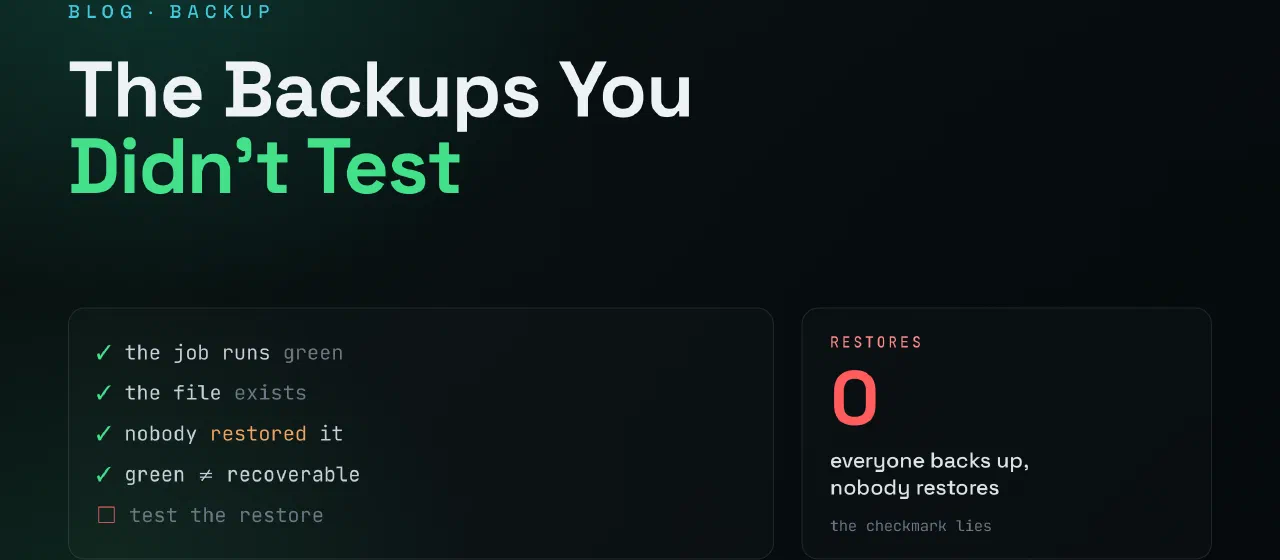
The green checkmark
Everyone has backups. The cron job runs, the mail arrives, the dashboard shows a green checkmark: backup completed successfully. You read it with your morning coffee and feel responsible.
Here’s what that checkmark actually proves: a file was written somewhere. That’s it. It says nothing about whether that file contains what you think it contains, whether you can decrypt it, whether it restores into something that boots, or whether the one piece you’ll desperately need is even in it.
A backup you’ve never restored is not a backup. It’s a hope with a filename.
The ways restores fail silently
This is the family of failure that never shows up in the success mail:
The key is inside the vault. The backup is encrypted — good! The encryption password is stored in your password manager — reasonable! The thing you’re restoring is the password manager — oops. Chicken, meet egg. This pattern hides everywhere: the restore runbook stored in the wiki that’s in the backup, the cloud credentials stored in the VM you’re trying to bring back.
The wrong thing is backed up. The job faithfully snapshots the container — but the data lives in a bind-mount the job never touched. Or it backs up the mount, but the app writes somewhere new since two versions ago. The checkmark stays green the entire time.
Retention ate the good copy. You discover the corruption on day 35. Retention is 30 days. Every copy you have is a perfect, verified backup of broken data.
The restore needs infrastructure that’s gone. The backup is fine — but restoring it assumes a working hypervisor, a DNS server, a network layout, an authentication service. If the disaster took those too, your restore starts with rebuilding the world that the backup silently depended on.
The database was mid-write. File-level snapshots of a live database can capture a state the database itself would never produce. It backs up fine. It restores fine. It just doesn’t open fine.
None of these announce themselves. Every one of them is invisible until the day you need the restore — which is the one day you can’t afford surprises.
Restore drills
The fix is not a better backup tool. The fix is treating the restore as the thing you maintain:
- Restore something small every month. One random VM, one database, one folder — into a scratch environment, never onto the real thing.
- Time it. “We have backups” and “we can be back in 40 minutes” are different sentences. Only one of them is a plan. You don’t get to claim an RTO you’ve never measured.
- Write down the steps as you go. The restore you did calmly on a Sunday becomes the runbook you’ll follow shakily at 3 AM. Future-you is not smarter than present-you — but they can be better prepared.
- Restore the keys separately. Whatever decrypts, authenticates, or unlocks the restore path must live outside the thing it unlocks. Paper counts. A sealed envelope counts.
So I built the drill into the backups
Writing that list, I had to admit I did none of it. I had database dumps — nightly pg_dump
into a folder, a green line in a log — and I had never once restored one. Classic hope with a
filename. So I built backhaul: the database-shaped sibling of
snapshoot, and this time the restore is the product, not a chore I keep
meaning to do.

The interesting part was how directly the five silent failures above turned into features:
- The database was mid-write → backhaul never file-snapshots a live DB. A sidecar container
on the database’s own private network runs a logical dump (
pg_dump/mysqldump, or.dumpfor SQLite) — a consistent export the engine will always reopen cleanly. - The wrong thing is backed up → every night, each dump is restored into a throwaway database, and the tables and rows are counted. If the dump is empty, truncated, or a zero-byte “success” from an auth that quietly failed, the drill goes red. A backup isn’t trusted for existing; it’s trusted for restoring.
- Retention ate the good copy → grandfather-father-son retention (
4h×3d, daily×30d, weekly×12w), so a corruption you find on day 35 still has a clean weekly copy behind it. - The restore needs infrastructure that’s gone → the agent only ever makes outbound calls, so there’s no port, no VPN, no auth server to rebuild first. If a host dies, I rotate a token, start one container on the new box, and the backups continue under the same database.
- The key is inside the vault → the break-glass password lives in the app’s environment, never in the data it protects; the thing that unlocks the restore is not stored inside the restore.
Then the moment that made it all worth it. A grocery-price database — 1.7 GiB, millions of rows — had been silently truncated for weeks: the dump was hitting a 100 MB edge limit and getting chopped to exactly 100 MiB, then stored as a perfect green backup of a corrupt file. Every one of those “successful” backups was useless, and nothing had told me. The drill caught it because the drill actually restores. I fixed the upload to ship the dump in chunks, and the next drill restored the whole thing and counted 7 843 990 rows — the same number the live database reports. That’s the first time a backup of mine has ever proven itself. It took about a second.
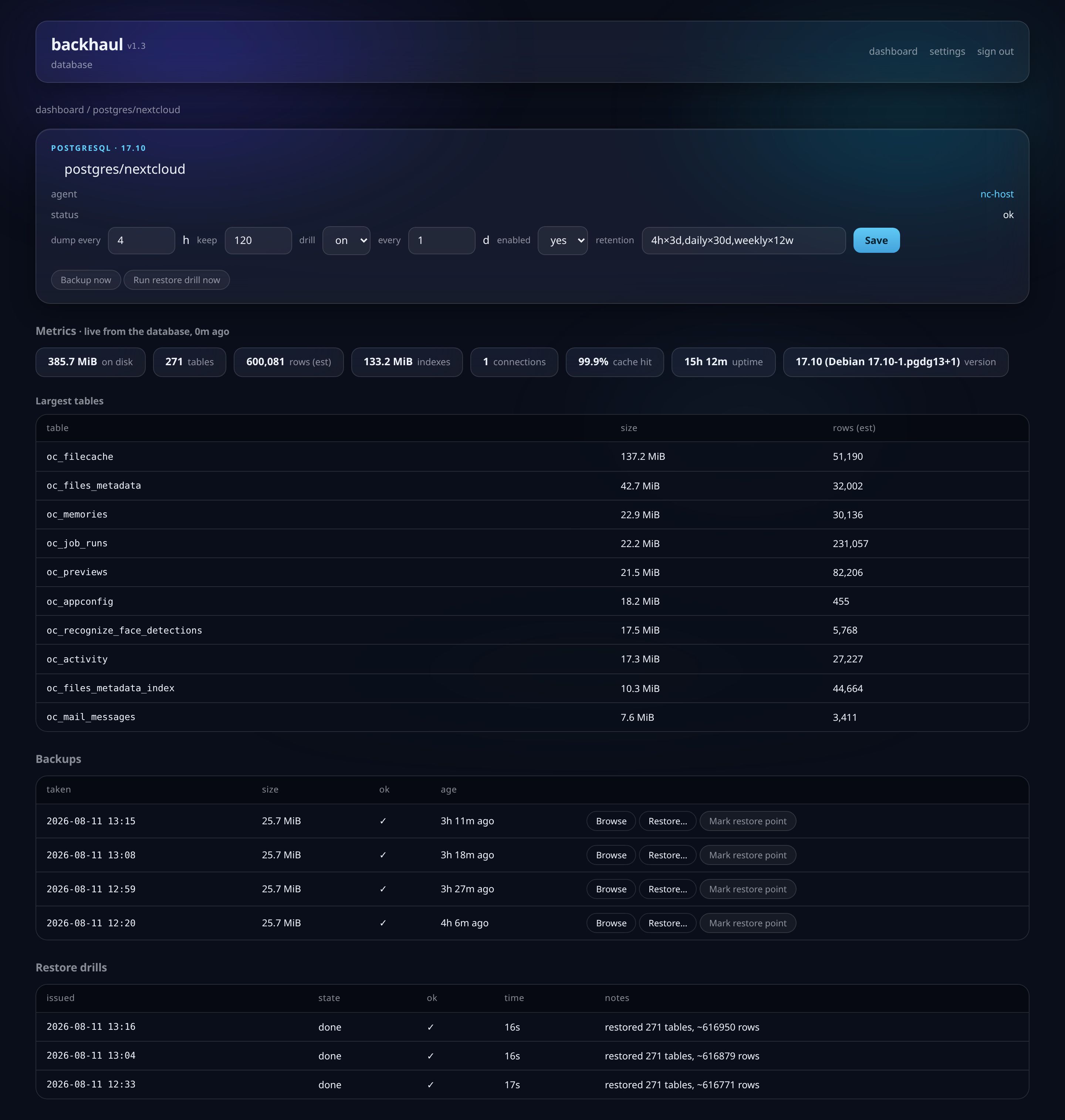
That number is the whole point. Not “backup completed successfully” — an actual count of actual rows, brought back into an actual database, last night, on a schedule.
The quiet pattern
This is the third… fourth post in what’s apparently becoming a series about things that didn’t happen: the CVEs you didn’t write, the dependencies you didn’t add, the ports I didn’t open. The theme keeps being the same: real security lives in the negative space — the things you verified wouldn’t go wrong, back when verifying was cheap.
A restore drill is exactly that. Thirty minutes on a quiet Sunday, so that the worst day of your homelab’s life is merely a bad one.
When did you last actually restore something — not check that the job ran, but bring data back and use it? If the answer is “never”, pick your smallest backup and try it this weekend. Worst case, you’ve lost half an hour. Best case, you’ve found the hole while it was still free to fix. You know where to find me.